Entry-Level UX Design Jobs in 2026: Breaking In Without Agency Experience
UX design has a specific quality that sets it apart from most other entry-level career paths: the barriers to entry are almost entirely within your control. You do not need a specific degree. You do not need a particular university. You do not need connections or family in the industry. What you need is a portfolio of work that demonstrates you can think through design problems in a structured way, and the ability to talk about that work convincingly in interviews. Both of those things are learnable, buildable, and entirely accessible to someone starting from scratch in 2026.
That is not to say it is easy. The UX field has grown significantly over the past decade, and the demand for designers who genuinely understand users — not just designers who can produce attractive screens — has grown alongside it. The distinction between someone who can make things look good and someone who can design products that actually work for real people in real contexts is visible in portfolios, in interviews, and in the quality of work produced. Entry-level UX jobs in 2026 are genuinely competitive, and the candidates who succeed are those who have invested in understanding the discipline deeply rather than just learning the tools.
This guide covers the full picture of breaking into UX design at the entry level. It explains what UX work actually involves at the junior level, which specific skills and tools matter and which are less important than people assume, how to build a portfolio that impresses hiring managers when you have no client history, what the design interview process actually tests, the differences between agency and in-house design roles, the rising importance of AI tools in the UX workflow, and the honest reality of what the first year in a UX role looks like. By the end, you will have a clear and practical roadmap for entering this field.
What UX Design Actually Is — And What It Is Not
UX stands for User Experience, and the discipline of UX design is concerned with how people experience products and services — how easy they are to use, how they make users feel, how effectively they help users accomplish their goals, and how well they match the mental models and expectations users bring to them.
The confusion in how UX is discussed publicly — and in many job descriptions — comes from its conflation with several related but distinct disciplines. UI design, visual design, interaction design, product design, and UX design are all related, frequently overlapping, and frequently used interchangeably despite having genuine distinctions. Understanding these distinctions helps you identify which roles and career paths actually fit your interests and skills.
UX design in the strict sense focuses on research and process: understanding users through research, defining problems clearly, generating and evaluating solutions, prototyping, and testing. The output is often wireframes, user flows, research reports, and prototypes rather than final visual designs.
UI design (User Interface design) focuses on the visual and interactive layer of a product — the specific colours, typography, spacing, component styles, and interactive states that form what the user actually sees. A strong UI designer has a developed aesthetic sensibility and a deep understanding of visual communication principles.
Product design is a term increasingly used at technology companies to describe a role that encompasses both UX and UI — the product designer owns the entire design process from user research through to final visual specifications. This is the most common job title in technology company design teams in 2026.
Interaction design focuses specifically on how users interact with a product — the behaviours, transitions, animations, and responses that make a product feel alive and responsive. This is a specialisation within UX that becomes increasingly important for more senior roles.
In practice, most entry-level design roles expect some competency across all of these areas, with variation in emphasis depending on the organisation. An in-house design team at a large technology company might have specialists in research, UI, and interaction design as separate functions. A startup might have one person doing all of it. Understanding the spectrum helps you read job descriptions accurately and position yourself for the roles that genuinely fit your skills.
The Skills That Actually Matter at the Entry Level in 2026
There is a wide gap between the skills that people preparing for UX careers are told to focus on and the skills that hiring managers at entry-level organisations actually care about. Here is an honest breakdown of each.
Figma — Non-Negotiable
Figma has become the industry standard design tool, having largely replaced Sketch and Adobe XD over the past several years. Virtually every professional design team in 2026 uses Figma as their primary tool for wireframing, prototyping, and UI design. If you are not proficient in Figma, you are not ready to apply for UX or product design roles.
Figma proficiency at the level required for entry-level roles means: comfort with frames and auto layout, component creation and the use of design systems, basic prototyping (creating interactive flows between screens), working with grids and spacing, vector editing for basic illustration needs, and collaborative features like commenting and sharing. Figma has a free tier that is fully functional for learning and portfolio projects, and their own tutorial resources are excellent.
The things that distinguish Figma beginners from proficient users are typically: understanding auto layout deeply (this is the feature that separates people who can build responsive components from those who cannot), creating and maintaining component libraries consistently, and building prototypes that are genuinely usable for user testing rather than just aesthetically polished. These are worth investing specific practice time in.
User Research Fundamentals
The ability to conduct basic user research — user interviews, usability testing, survey design, competitive analysis, heuristic evaluation — and to synthesise findings into actionable design insights is one of the most genuinely differentiating skills at the entry level. Many people learning UX focus almost entirely on the visual output side and neglect research entirely, which produces portfolios full of attractive screens with no evidence of user understanding behind them.
Hiring managers at product-focused organisations can immediately tell the difference between a design that emerged from genuine research and a design that was created aesthetically without user grounding. The research-informed design has visible logic — you can see why specific choices were made, based on what users were observed to need. The aesthetic design looks polished but has no clearly articulable rationale behind the specific decisions.
For entry-level candidates, demonstrating user research does not require access to professional research facilities or large user samples. Conducting five user interviews about a product you are redesigning, observing how two or three people complete a task, or analysing a competitive landscape systematically all count as genuine research and demonstrate research capability when documented clearly in your portfolio.
Design Thinking and Process
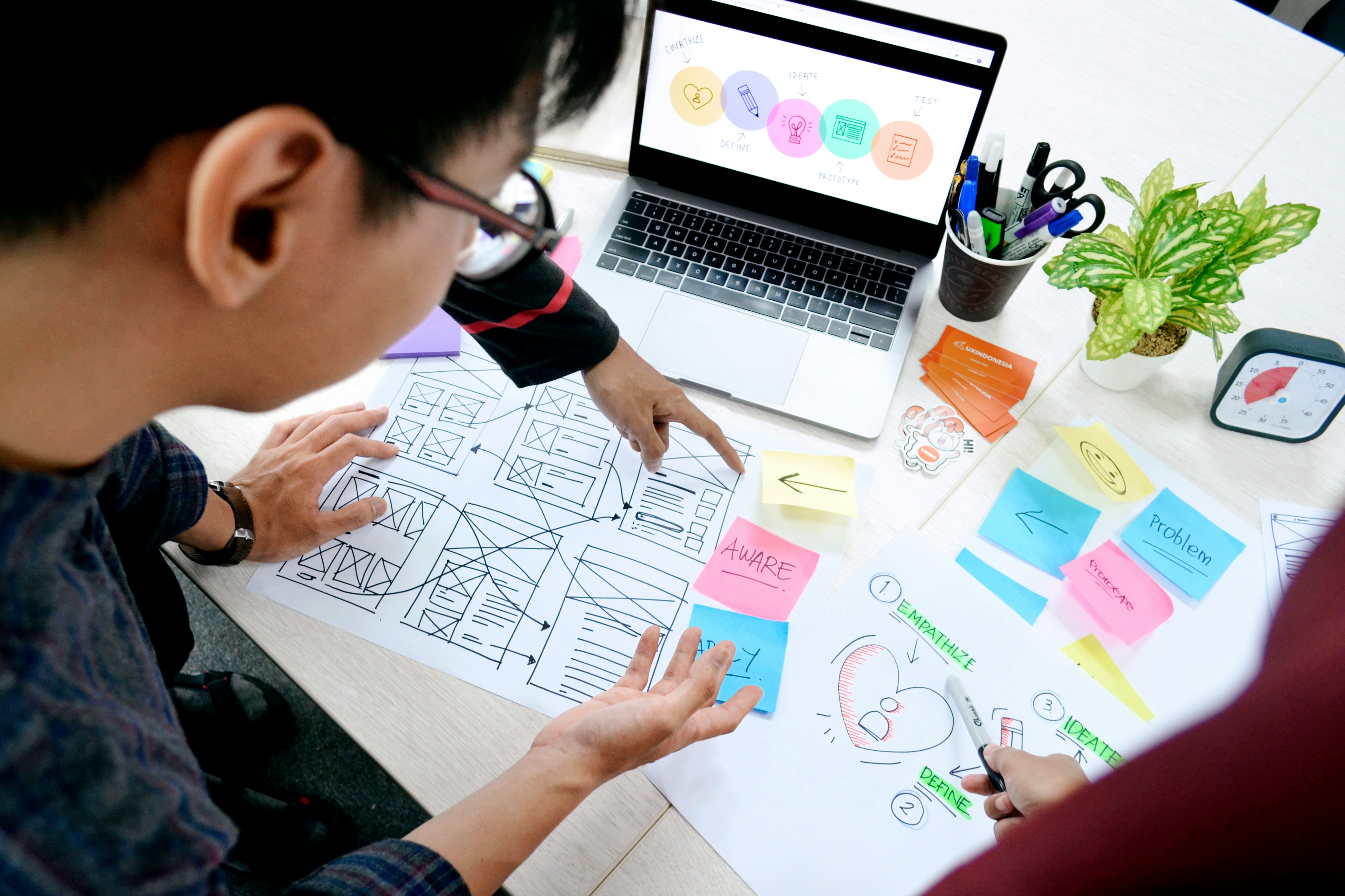
Design thinking — the structured process of empathising with users, defining problems, ideating solutions, prototyping, and testing — is the conceptual framework underlying professional UX practice. Knowing it and being able to apply it and explain it is a baseline expectation for any design role.
What matters is not just knowing the framework theoretically but being able to show that you used it in your portfolio projects. The portfolio case study that says "I conducted five user interviews to understand the problem, synthesised the insights into three key themes, generated twelve solution concepts in a workshop session, built a mid-fidelity prototype of the two most promising concepts, tested them with four users, and iterated based on what I found" is demonstrating design thinking through evidence, not assertion.
Information Architecture and User Flows
The ability to organise and structure information — navigation systems, content hierarchies, user flows through a product — is a core UX competency that visual design training often does not develop. Strong information architecture makes products feel intuitive because users always know where they are, where they can go, and how to accomplish what they came to do. Weak information architecture produces confusion, abandoned tasks, and frustrated users regardless of how visually polished the product is.
Demonstrating information architecture skills in your portfolio can be as simple as showing the sitemap or user flow diagram that preceded the screen designs, explaining the logic behind the navigation structure you chose, and noting any alternatives you considered and why you rejected them.
Visual Design Fundamentals
Even for roles that emphasise research and process over visual output, a functional understanding of visual design principles — typography, colour theory, spacing, hierarchy, grid systems — is expected. You do not need to be a trained graphic designer. You do need to be able to produce work that looks sufficiently professional that visual quality does not become an obstacle to evaluating the design thinking behind it.
A useful benchmark: can you produce a design that a hiring manager would not be embarrassed to show to a senior stakeholder, even if it is not visually brilliant? That is the entry-level standard for visual quality in UX work. Going significantly above this level — producing work of genuinely high visual quality — is a significant advantage in portfolio review, but meeting the baseline is the prerequisite.
Building a Portfolio With No Client History
The portfolio is where every UX job search either succeeds or fails. You can have a strong resume, a compelling LinkedIn profile, and excellent interview skills — but if your portfolio does not demonstrate genuine design capability, none of the rest of it matters. And conversely, a portfolio that convincingly shows good design thinking and solid execution can get entry-level candidates hired with no professional history whatsoever.
The question most aspiring UX designers ask is: how do I build a portfolio when I have no clients and no real projects? The answer is that the source of the project is less important than the quality of the process and the thoughtfulness of the documentation. Self-initiated projects, redesigns of existing products, concept designs for fictional products, academic projects, volunteer design work for non-profits, and speculative briefs from design challenge websites all produce valid portfolio material.
The Case Study Format
Every portfolio project should be presented as a case study — a narrative account of the design process from problem definition through to final solution. The case study format is what distinguishes a design portfolio from an image gallery, and it is what allows hiring managers to evaluate your thinking process rather than just your output.
A strong case study covers: the problem or challenge that prompted the project, the research you conducted to understand users and their needs, the key insights that emerged from that research, the design concepts you explored before arriving at your solution, the specific choices you made and why, any testing or validation you did, and what you learned that you would do differently next time. The honest reflection at the end — acknowledging what did not work perfectly and what you would improve with more time or resources — is a mark of genuine professional maturity that hiring managers notice.
The length and detail of a case study should be proportionate to the complexity of the project. A simple app redesign might warrant a twelve to fifteen slide presentation or a scrollable case study page with five to six key sections. A more complex project involving substantial research might warrant twenty to twenty-five slides or a longer written piece. What matters is that every element of the case study earns its place — that every screen, diagram, and paragraph adds something to the understanding of the project rather than padding it out.
Project Types That Work Well for Entry-Level Portfolios
Redesigning a product you personally find frustrating is one of the most compelling portfolio project types available, for two reasons. First, you have genuine personal experience with the problem, which typically produces more authentic research and more motivated design work than a purely hypothetical brief. Second, it demonstrates the design sensibility to identify a problem worth solving, which is itself a valuable professional skill.
The key is to conduct real research even for a personal project — do not just redesign based on your own preferences, because that is not UX design, that is personal preference with professional labelling. Interview five to eight people who use the same product and experience the same friction. Observe them completing the task that gives them trouble. Understand the problem from multiple people's perspectives before designing the solution. This research foundation is what transforms a personal opinion project into a genuine UX case study.
End-to-end concept design — designing a product that does not currently exist for a specific user need you have identified — demonstrates the full range of UX capability from research through execution. These projects are more ambitious and take longer, but a single well-executed end-to-end project can be more compelling than three shallow redesigns.
Volunteer design work for non-profit organisations, student societies, or community groups provides real client experience and real constraints — things that self-initiated projects sometimes lack. The need to design for an actual client with actual users and actual constraints produces a more authentic portfolio piece than a purely speculative brief. Catchafire and Idealist both list organisations seeking volunteer design help that is worth exploring.
Portfolio Presentation
Your portfolio needs to be accessible online — not as a PDF emailed on request, but as a URL you can share in any application with a single click. Behance, Notion, Cargo, Webflow, and dedicated portfolio platforms like UX Folio are all commonly used. Your own personal website provides the most professional and memorable presentation if you have the technical skill to build one, or can afford a basic website subscription.
The homepage of your portfolio should immediately communicate who you are, what type of design work you do, and what your strongest projects are. A hiring manager who arrives at your portfolio URL should be able to understand your value as a designer within thirty seconds without having to navigate extensively. A brief personal statement (two to three sentences), three to five featured project thumbnails, and a clear way to contact you is the essential structure.
The Design Interview: What Is Actually Being Evaluated
UX design interviews have a specific structure that differs from most other professional interview formats, and understanding what is actually being evaluated at each stage helps you prepare more effectively.
Portfolio Review
Most design interviews begin with or heavily feature a portfolio walkthrough — you presenting your projects while the interviewer asks questions. The questions in portfolio reviews are typically of two types: process questions ("why did you make this specific choice?" or "what alternatives did you consider?") and outcome questions ("what did users think of this solution?" or "what would you do differently now?").
Prepare to discuss every project in your portfolio at significant depth. Know why you made every visible decision. Know what alternatives you considered and why you chose one over the others. Know what the user research revealed that influenced the design direction. Know what happened after the design was implemented, if it was. And know honestly what the limitations were — what you would have done differently with more time, more research participants, or different constraints.
The ability to discuss your work at this level of detail is what distinguishes candidates who genuinely understand design from those who produced attractive outputs by following tutorials. Hiring managers probe specifically for this depth because it predicts how the candidate will approach real design challenges in the role.
Design Challenges
Many design interviews include a practical design challenge — either a take-home brief completed before the interview or a live exercise conducted during it. Take-home challenges typically give you three days to a week to design a solution for a specific brief, usually related to the type of product the company builds.
Treat a take-home challenge with the same rigour you would apply to a real project brief. Research the space before you start designing — spend time understanding how people currently handle the problem the brief is asking you to solve. Document your process, not just your output. Show your thinking through sketches, wireframes, and decision notes as well as final screens. And present your work in the case study format — explaining the problem, the research, the key insights, the design direction, and the remaining questions you would want to explore with more time.
Live design challenges — asked on the spot during an interview — are less about the quality of the output (which is expected to be rough given the time pressure) and more about the quality of your thinking process. Ask clarifying questions before you start: who is the user? What is the primary goal? What constraints apply? What does success look like? Then narrate your thinking out loud as you work through the problem. The interviewer wants to see how you approach ambiguity and how you structure design thinking under pressure — not whether you can produce polished screens in twenty minutes.
Behavioural Questions
Standard competency questions apply to design interviews as to any other professional interview: tell me about a time you received feedback on your design that you disagreed with and how you handled it; describe a situation where you had to design within significant constraints; tell me about a project where the user research revealed something that changed your design direction completely. These questions are assessing design maturity, communication quality, and the ability to collaborate and iterate — all of which are as important in design roles as technical skill.
Agency Versus In-House: Choosing Your First Design Environment
The two primary environments for entry-level UX designers are design agencies and in-house design teams, and the experience of working in each is genuinely different in ways that affect your development, your lifestyle, and your long-term career trajectory.
Design agencies work with multiple clients across different industries, giving junior designers exposure to a wide variety of product types, problems, and contexts in a relatively short period. The pace is typically faster, the feedback cycles are compressed, and the variety of work is higher. The trade-off is less depth on any single product or problem, sometimes less sophisticated UX practice (agencies under commercial time pressure sometimes prioritise delivery over process rigour), and a culture that can be demanding in terms of hours.
In-house design teams focus on a single product or suite of products, allowing designers to develop deep expertise in a specific domain and to see the long-term impact of design decisions on a product they are involved with continuously. The pace is typically more sustainable, the design process is often more rigorous, and the opportunity to conduct ongoing user research is greater. The trade-off is less variety and sometimes a more structured, slower career progression compared to agencies where strong performers can advance quickly.
For most entry-level UX designers, the choice comes down to personal preference for variety versus depth and tolerance for pace. Both environments can produce excellent designers. The most important factor is often the quality of the design leadership — whether you will be working under and learning from designers whose work and thinking you respect. This is worth investigating directly in interviews, specifically by asking to see examples of work the team has produced and asking how design decisions are typically made and evaluated within the organisation.
AI Tools and the UX Designer in 2026
AI tools have entered the UX workflow in ways that are worth addressing directly, because the question of whether and how to use them comes up consistently for candidates entering the field in 2026. The honest answer is that AI is a useful tool in specific parts of the design process and a limited one in others, and understanding the difference helps you use it effectively without relying on it in ways that undermine the genuine skill development you need.
AI tools are genuinely useful for: generating initial ideation prompts and divergent concept ideas in the early stages of a design problem, creating placeholder content and copy at realistic lengths for wireframes and mockups, summarising and identifying themes in large batches of user research notes, generating variations of UI patterns for comparative evaluation, and automating repetitive production tasks in Figma through plugins.
AI tools are less useful for: the core judgment calls in design — deciding what is the right problem to solve, what information architecture best serves a specific user population, how to balance competing user needs in a constrained design space. These decisions require genuine understanding of users, context, and product strategy that AI cannot replicate from a brief. Designs produced primarily by AI prompt engineering rather than design thinking are recognisable in portfolio reviews and in design critiques, and they do not build the skills that a career in design requires.
Use AI tools to accelerate and expand your design work. Do not use them to replace the thinking that is the actual job.
The First Year in a UX Role: Honest Expectations
The first year in a UX role has a specific texture that is worth knowing about in advance. You will spend a significant amount of time working within constraints that feel limiting — established design systems, existing information architecture decisions, product roadmap priorities that determine what you are designing and when. The creative freedom that design student projects seemed to offer does not exist in the same way in professional design work, because professional design is always in service of a product, a business, and a user population rather than a brief designed to showcase your abilities.
This is not a disappointment to be managed — it is the actual job, and it is more interesting than unconstrained creative work in important ways. Designing within real constraints, for real users, in service of real business goals, with real feedback from real people who use the product — this produces design learning that no amount of self-initiated project work can replicate. The discipline of working within constraints is where professional design sensibility develops.
Expect to have your work criticised significantly in design reviews and user testing sessions. This is not personal — it is how design quality improves. The designers who advance fastest in their first roles are those who can separate their ego from their work, receive criticism as information rather than judgment, and iterate based on feedback without losing their creative confidence. This combination of thick skin and genuine openness to improvement is one of the most valuable and most cultivated qualities in professional design.
Browse all currently active entry-level UX design, product design, and UI design roles at Job Foundry Hub. Use the category filter to find design positions specifically, all verified for candidates with 0 to 2 years of professional experience.

Expert career coach and recruitment specialist with over 15 years of experience helping recent graduates land their dream jobs.